Keyboard

Keyboard

The keyboard is a standard input device. It is a data entry platform of computer. The layout of the keyboard is like that of traditional QWERTY typewriter, although some extra command and function keys are provided for internet, multimedia, operating system and software operation. It has small processor attached to a visual display unit.


Fig: Keyboard

The processor checks for the accuracy of data at the time of entry. When key is pressed, electrical signal is generated which determine which key was pressed. This process is termed as encoding.

Some types of standard keyboard:

(i) XT (Extended Techno10gy):83 keys

(ii) AT (Advanced Technology):101 keys

(iii) Enhanced Technology: 103 keys

In apple Macintosh, ABD keyboard is used. It is connected to Apple Desktop Bus (ADB). Some input devices are: scanner, mouse, MICR, OMR, OCR, OBR, Light pen, touch pad etc.

Mouse

Mouse


Fig:-Mouse

There are many technology applied in designing of mouse. The optical mouse is based on laser technologies. Scroll wheel has facilities to scroll page upward and downward direction.

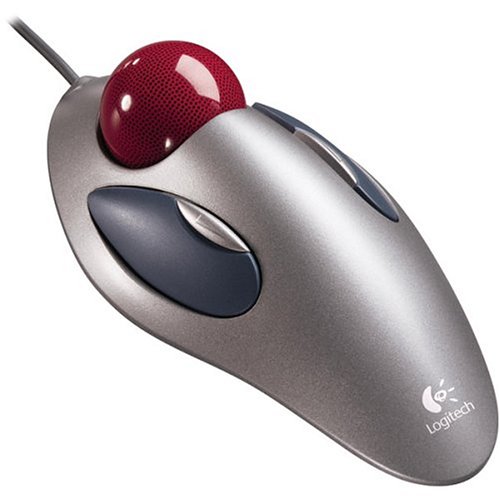
Trackball

Trackball

A trackball is a pointing device consisting of a ball held by a socket containing sensors to detect a rotation of the ball about two axes—like an upside-down mouse with an exposed protruding ball.The user rolls the ball to position the on-screen pointer, using their thumb,fingers, or commonly the palm of the hand while using the fingertips to press the mouse buttons.


Fig: Trackball

Compared with a mouse, a trackball has no limits on effective travel; at times, a mouse can reach an edge of its working area while the operator still wishes to move the screen pointer farther. With a trackball, the operator just continues rolling, whereas a mouse would have to be lifted and re-positioned. Some trackballs have notably low friction, as well as being made of a dense material such as glass, so they can be spun to make them coast. The trackball's buttons may be situated to that of a mouse or to a unique style that suits the user.

Large trackballs are common on CAD workstations for easy precision. Before the advent of the touchpad, small trackballs were common on portable computers, where there may be no desk space on which to run a mouse. Some small "thumbballs" are designed to clip onto the side of the keyboard and have integral buttons with the same function as mouse buttons.

Digital Camera

Digital Camera

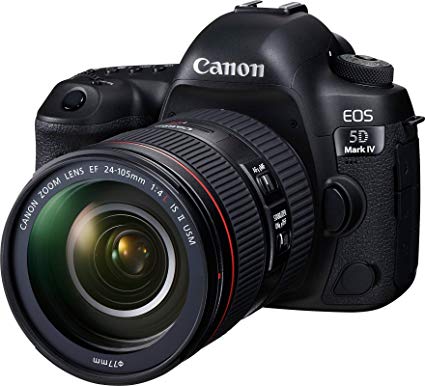
A digital camera or digicam is a camera that captures photographs in digital memory. Most cameras produced today are digital,and while there are still dedicated digital cameras, many more are now incorporated into devices ranging from mobile devices to vehicles.However, high-end, high-definition dedicated cameras are still commonly used by professionals.


Fig: Digital camera

Digital and movie cameras share an optical system, typically using a lens with a variable diaphragm to focus light onto an image pickup device.[3] The diaphragm and shutter admit the correct amount of light to the imager, just as with film but the image pickup device is electronic rather than chemical. However, unlike film cameras, digital cameras can display images on a screen immediately after being recorded, and store and delete images from memory. Many digital cameras can also record moving videos with sound. Some digital cameras can crop and stitch pictures and perform other elementary image editing.

Scanner

Scanner

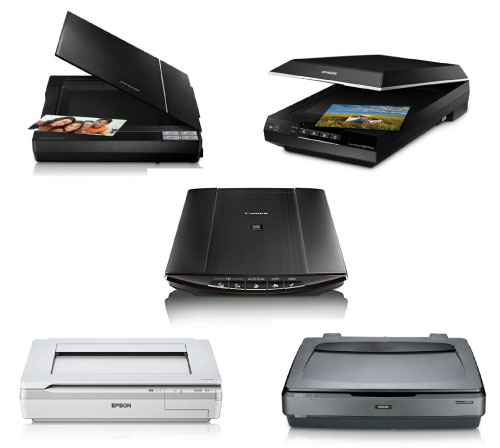
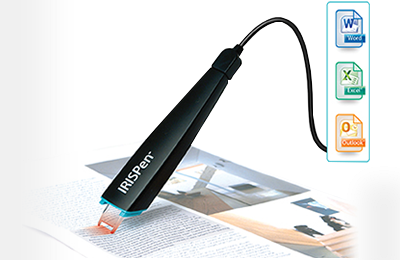
Scanner is an input device. It is used to enter pictures, graphs and other documents in computer and allow saving in different formats. It has main two components:


Fig: Scanner

Its resolution varies from 72 ppi (pixel per inch) to 2400 ppi. Black and white and color scanners are available in market in reasonable cost. The cost depends on resolution image into digital.

Types of scanner:

Joystick

Joystick


Fig: Joystick

The joystick is originally from the field of aviation, where it refers to the control stick used by a pilot to control the flight of the plane. As such it is mainly used for interaction with computer games, in particular flight simulators. It consists of a lever, or stick, which is moved by the user and transmits these movements to the computer. It also normally has additional buttons or switches that are used in addition to the stick.

Joypad

Joypad

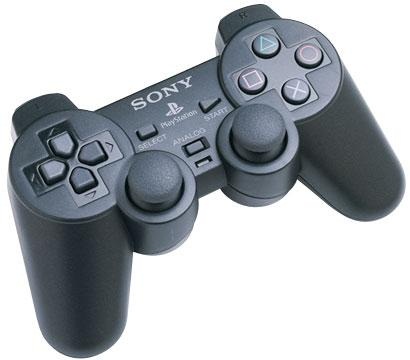
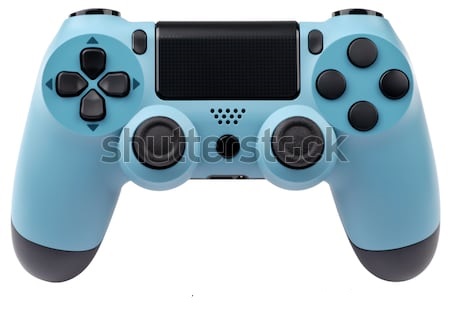
Similar to a joystick, the joypad is designed for gaming input. In many ways it is identical to the joystick, with the main difference being the use of a multi-directional touch pad in place of the stick.


Fig: Joypad

It is most commonly used with games consoles, but also suitable for computers. More recent models also have analogue control sticks, used as miniature joysticks. The ergonomics of the device are also different, with the pad designed to be held with both hands.

Touch Screen

Touch Screen

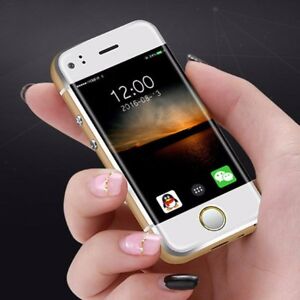
A touchscreen, or touch screen, is an input device and normally layered on the top of an electronic visual display of an information processing system. A user can give input or control the information processing system through simple or multi-touch gestures by touching the screen with a special stylus or one or more fingers.Some touchscreens use ordinary or specially coated gloves to work while others may only work using a special stylus or pen. The user can use the touchscreen to react to what is displayed and, if the software allows, to control how it is displayed; for example, zooming to increase the text size.


Fig: Smartphone with touchscreen

The touchscreen enables the user to interact directly with what is displayed, rather than using a mouse, touchpad, or other such devices (other than a stylus, which is optional for most modern touchscreens).

Touchscreens are common in devices such as Nintendo game consoles, personal computers, electronic voting machines, and point-of-sale (POS) systems. They can also be attached to computers or, as terminals, to networks. They play a prominent role in the design of digital appliances such as personal digital assistants (PDAs) and some e-readers.

BCR

BCR


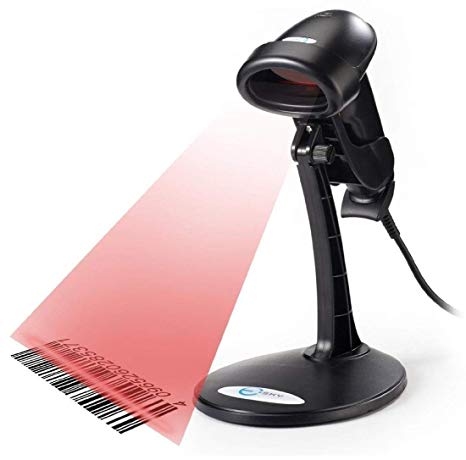
Fig: BCR

A bar code reader (or bar code scanner) is an electronic device that can read and output printed barcodes to a computer. Like a flatbed scanner, it consists of a light source, a lens and a light sensor translating for optical impulses into electrical signals.Additionally, nearly all barcode readers contain decoder circuitry analyzing the bar code's image data provided by the sensor and sending the barcode's content to the scanner's output port.

MICR

MICR

It stands for Magnetic Ink Character Recognition. The human readable characters are printed on documents using a magnetic ink. In 1966, two standards of MICR fonts were accepted by International Standards Organization: E13B (USA) and CMC8 (France, and other European countries).


Fig: MICR

The main limitation of MICR is that only the 10 digits and 4 special characters needed for bank processing are used. No alphabetic characters are available. Special type of magnetic ink is required for encoding the characters to be read by the machine.

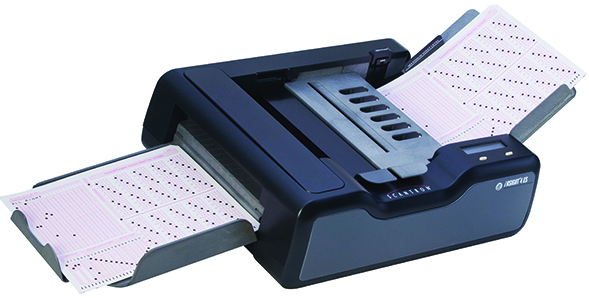
OCR

OCR


Fig: OCR

It stands for Optical Character Recogniti0n/ Reader. It reads printed characters directly and converts them into appropriate codes and stores them in a computer. When light source is passed over a document the written or typed characters reflect less light than the background area. Thus the shape of characters may be determined. Each character is scanned several times and an electronic picture of it is built up. If the characters are typewritten, they must be typed in OCR-font. The standard fonts used are OCR-A (American Standard) and OCR-B (European Standard).

OBR

OBR

It stands for Optical Bar Code Reader. It scans a set of vertical bars of different width for specific data and are used to read tags. In USA, each grocery Product has been given a unique 10-digits codes that are represented bar codes form on every products. Bar code Reader is a device used for reading (encoding) bar-coded data.


Fig: OBR

Bar-code reading is performed by a laser-beam scanner which is stroked across the patterns of bits that is recorded as the input data. The most widely known bar code is the Universal Product Code (UPC) which now appears on almost all retail package in U.S.A. The first five of these digits identify the manufacturer or supplier of the product and the second five digits identify a specific product of manufacturer. Bar code reading is done by a light pen or scanner connected to a computer.

Voice Reorganization Device

Voice Reorganization Device

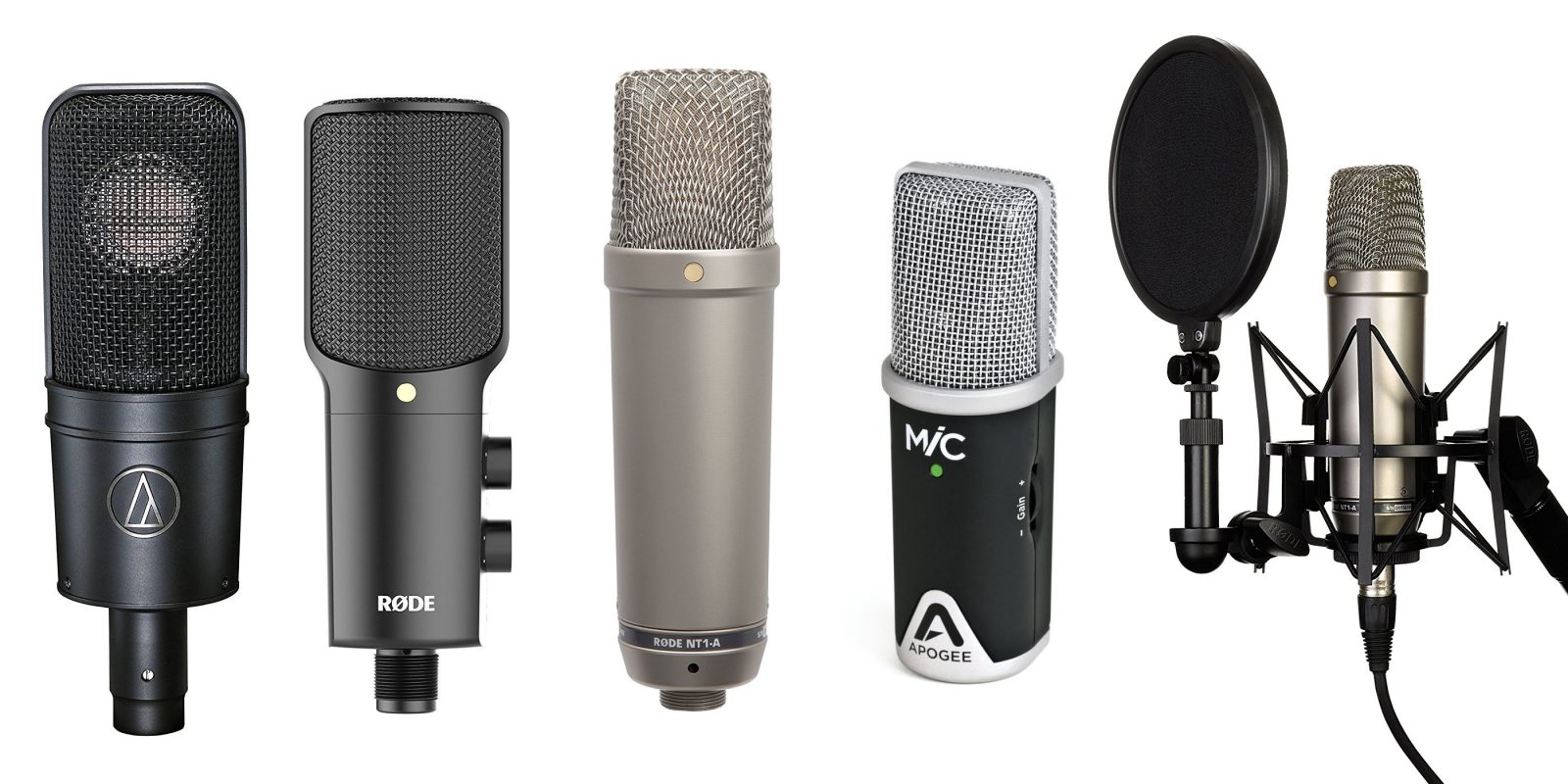
The voice reorganization device is an input device used to instruct and feed data to computer through voice. The data is fed through microphone, which converts sound into electrical signal, and electrical signal of sound is matched with patterns available in pattern dictionary of computer. If sound (electrical signal) is matched, data is processed and output is generated. IBM has developed a Talkwritter with 6000 words with 95% accuracy for business correspondence.


Fig: Microphone

It is helpful for bedridden, handicapped persons to input data in the form of voice. Voice response devices range from mainframe audio-response units to voice messaging minicomputers to speech synthesizer microprocessors. Speech microprocessors can be found in toys, calculators, appliances, automobiles, and a variety of other consumer, commercial, and industrial products. .